A native IPTV player for Apple TV.
iptvolt runs on Apple TV as a real tvOS app, from the same App Store listing as the iPhone and iPad app. Add your source with the remote, or with Pro scan a code and your setup is on the TV.
Available now on App Store.
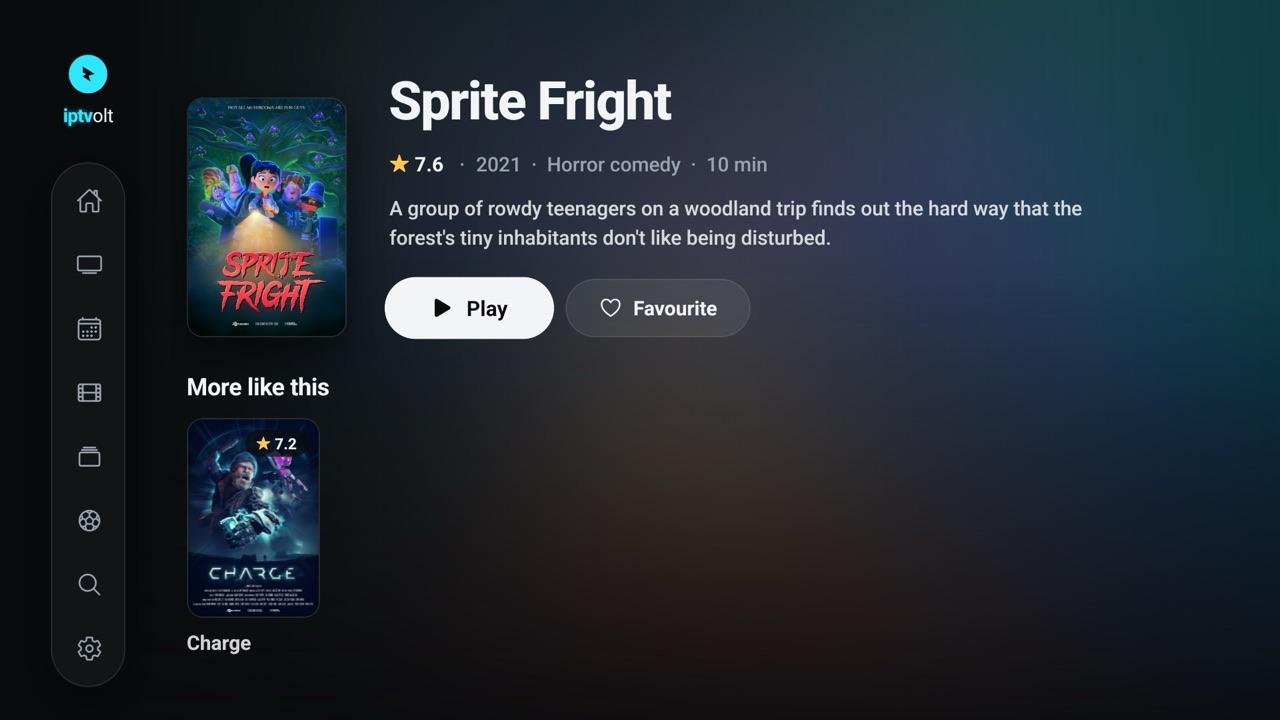
- Native tvOS app
- No ads, ever
- One purchase, up to 5 of your devices
- Synced on phone, TV and PC
Made for tvOS and the Siri Remote.
- 01
A tvOS app, not AirPlay
iptvolt runs on the Apple TV itself. Your iPhone stays free, the Siri Remote drives everything, and the TV keeps playing when the phone leaves the room.
- 02
Same App Store listing
One listing for iPhone, iPad, Mac and Apple TV. Install it on the Apple TV like any other app.
- 03
Set up with your iPhone
With Pro, scan the code on the TV and your sources come over end-to-end encrypted. No typing on the Siri Remote.
- 04
Movies and series with Resume
Posters, details, seasons and episodes from an Xtream login, and Resume where you stopped on any device.
- 05
Sources that stay put
tvOS can clear app storage; iptvolt keeps your sources, settings and favourites in the keychain so they survive.
Set it up in iptvolt
- 01
Install on Apple TV
iptvolt is on the App Store. Open the App Store on your Apple TV, search for iptvolt and install it. No account needed.
- 02
Pair with your iPhone
The Apple TV shows a QR code. In iptvolt on your iPhone go to Settings → Sync → Add a TV, scan it and check that both show the same code.
- 03
Watch with the Siri Remote
Swipe or click to move the focus, click to open, and press Back to step out. Up and down zap while a channel is playing.
Why iptvolt
Built to be the last player you install.
- Set up once, synced everywhereSources, logins, favourites, settings and continue watching. End-to-end encrypted, no account.
- One purchase, all your devicesPro covers up to 5 of your devices, phones, tablets, TVs and PCs mixed.
- No ads, everThe free version is complete, and it stays free of ads.
- Sport finds its channelToday's games, matched to the channels in your own list.
- A guide you can trustUp to four guide links merged per source, and a real timeline grid.
- Plays everything, never stallsNative player plus a VLC engine, and it reconnects by itself.
Coming from another player?
Why a native Apple TV app beats AirPlay for IPTV
AirPlay from an iPhone works, and the iPhone app supports it. But with AirPlay the phone does the work: it has to stay nearby, and a call or a low battery ends the show. The Apple TV app plays the stream on the Apple TV itself. You zap, browse the guide and open movies with the Siri Remote, and the phone is only needed once, to set the TV up.
The Apple TV app has the same screens as iptvolt on other TVs: Home with Continue watching and what is live now, Live TV with categories and channel numbers, the guide, Movies, Series, Search, Sport and Settings. Prefer to keep using AirPlay? The iPhone and iPad page explains which streams AirPlay can carry.
Setting up iptvolt on Apple TV
On first start the Apple TV shows a QR code and a short check code. Open iptvolt on your iPhone or iPad, go to Settings → Sync → Add a TV and scan the QR code. The phone asks you to confirm that the check code matches the one on the TV, so you only ever connect the TV in front of you. The Apple TV then joins your sync space and gets your sources, logins, favourites and settings, end-to-end encrypted. Your sync code is never stored on our servers.
Sync is part of Pro. In the free version choose Set up manually and enter an M3U link or an Xtream login with the on-screen keyboard. Step by step: how to add Xtream Codes.
The Siri Remote in iptvolt
Swipe or click the clickpad to move between items; the focused one grows and gets a volt ring. Click to open it, press and hold for quick actions such as favourite or hide. Back closes the player controls, then the player, then the screen. On the Home screen tvOS takes over and returns you to the Apple TV home, as Apple requires. While a channel plays, up and down zap to the next one in the list.
The Siri Remote has no number keys, so direct channel number entry is a feature of remotes that have them, such as on Android TV, Fire TV, Samsung and LG. On Apple TV you reach a channel through its category, your favourites or Search.
What the Apple TV app does not do
There are no programme reminders on Apple TV, because tvOS has no local notifications; set reminders on your iPhone instead. Picture-in-Picture, multi-view and casting stay on iPhone and iPad. Catalogues and guide data are fetched from your provider again after tvOS clears app storage, while your sources and settings stay. And like every iptvolt app, it provides no channels, playlists or content.
Pro on Apple TV
Pro covers up to 5 of your devices that share a sync code, so an Apple TV that joins your sync space has Pro along with your iPhone and iPad. That brings the full guide grid, unlimited sources and sync. Pro costs €2.99 a month, €17.99 a year with a 7-day free trial, or €34.99 once, and neither version shows ads. All prices are on pricing; other TVs are on the download page.
Questions
Is there an iptvolt app for Apple TV?
Yes. iptvolt has a native tvOS app from the same App Store listing as the iPhone and iPad app. It is available now on the App Store.
Do I need an iPhone to use iptvolt on Apple TV?
No. You can type an M3U link or Xtream login with the on-screen keyboard. With an iPhone and Pro, scanning a code brings everything over without typing.
Can I type a channel number on Apple TV?
The Siri Remote has no number keys. On Apple TV you reach channels through categories, favourites and Search, and zap with up and down while watching.
Does Pro from my iPhone cover the Apple TV?
Yes, when the Apple TV joins the same sync code. One Pro purchase covers up to 5 of your devices.
Can I use AirPlay instead?
Yes. The iPhone and iPad app supports AirPlay for streams that play in the native iOS player. The Apple TV app plays without your phone.
Your last IPTV player.
Rolling out now on phones, tablets, TVs, Mac, Windows and Linux. Pick your screen.