Catch-up TV and timeshift, for the bit you missed.
Missed the kick-off? Start the programme over, or replay one from your provider’s archive. Free for Xtream logins and M3U playlists that declare catch-up.
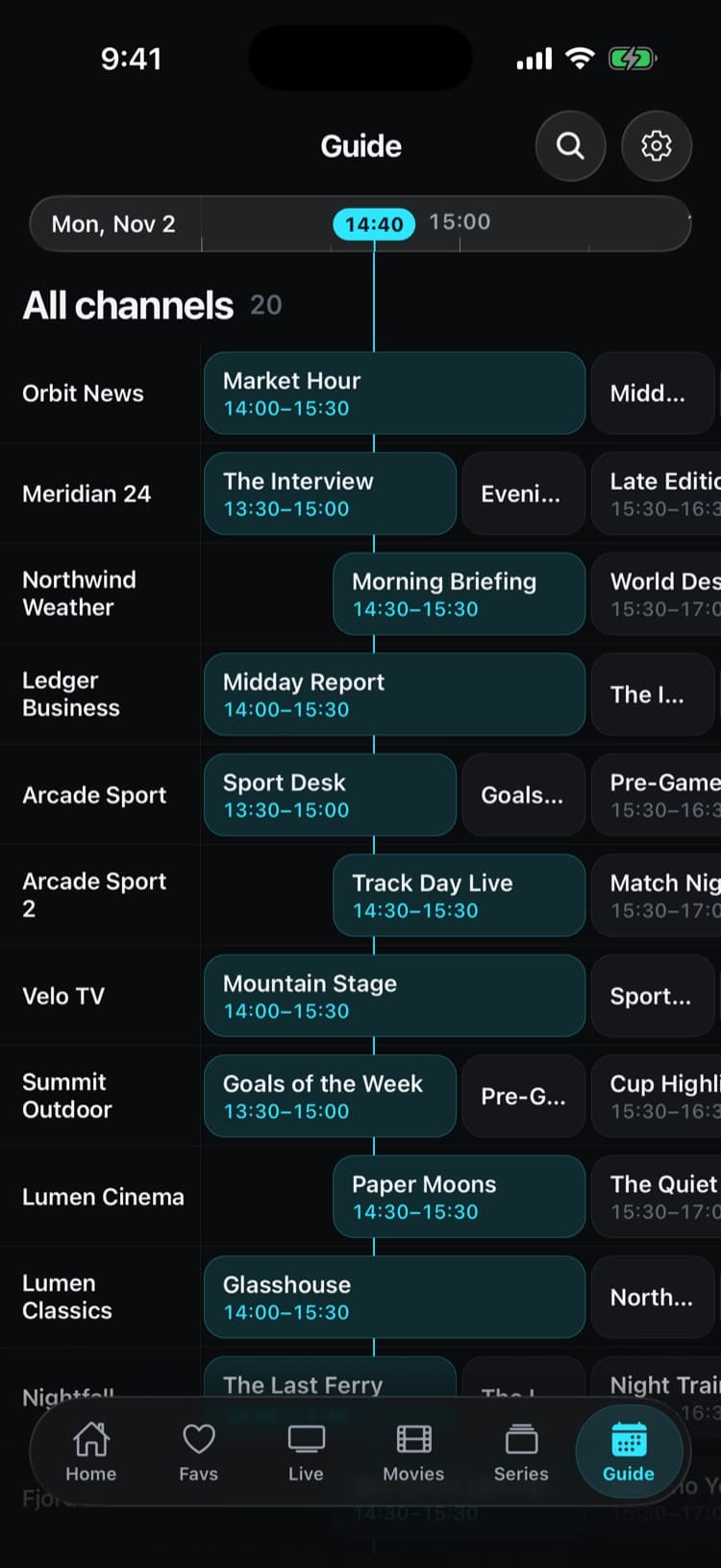
Real app screens with a demo source. iptvolt ships no content.
- Catch-up and Start over, free
- No ads, ever
- One purchase, up to 5 of your devices
- Synced on iPhone, iPad and Android
Live TV, on your schedule.
- 01
Start over
Missed the beginning? Start over plays the current programme from its start, and one tap takes you back to live.
- 02
Archive by day
Past programmes by Today, Yesterday and earlier days, as far back as your provider keeps them, up to 7 days.
- 03
Pause live TV
Pause a channel and it resumes where you stopped. The player shows how far behind live you are.
- 04
Xtream and M3U
Xtream channels the server records, and M3U channels with the default, append, shift, flussonic or xc catch-up types.
- 05
Free, no strings
Catch-up and Start over are in the free version. Pro adds other things, like unlimited sources and the full guide grid.
Pause. Rewind. Back to live.
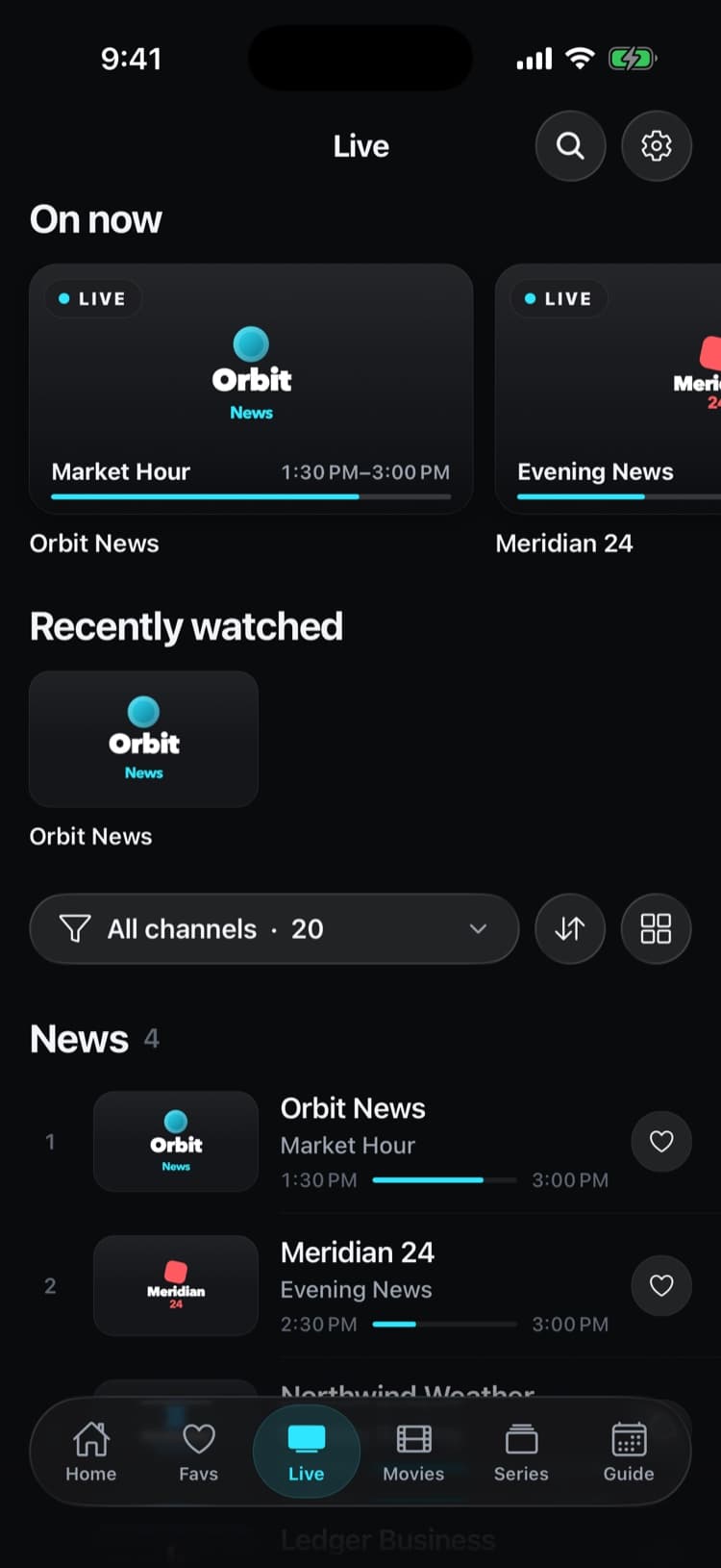
Every row shows how far the programme has run. Open catch-up on a channel, pick a day and a programme, and it replays from your provider’s archive with a scrubber in programme time.
- Today, Yesterday and earlier days
- A drop reconnects at your position
- Not in the archive? Watch live is one tap away
Set it up in iptvolt
- 01
Add a source with an archive
Sign in with Xtream or paste an M3U playlist whose channels declare catch-up. For M3U, also add the XMLTV link so past programmes can be listed.
- 02
Open catch-up on a channel
Long-press a channel and choose Catch-up, or use Start over in the player while a programme is running.
- 03
Pick a programme
Choose a day and a past programme. It plays with a scrubber in programme time, and you can return to live at any point.
Why iptvolt
Built to be the last player you install.
- Set up once, synced everywhereSources, logins, favourites, settings and continue watching. End-to-end encrypted, no account.
- One purchase, all your devicesPro covers up to 5 of your devices, iPhone, iPad and Android mixed.
- No ads, everThe free version is complete, and it stays free of ads.
- Sport finds its channelToday's games, matched to the channels in your own list.
- A guide you can trustUp to four guide links merged per source, and a real timeline grid.
- Plays everything, never stallsNative player plus a VLC engine, and it reconnects by itself.
Coming from another player?
Why doesn’t catch-up work on my channel?
Because catch-up is recorded by your provider, not by the app. iptvolt can only replay what the provider’s server keeps, and whether a channel has an archive, and for how many days, is decided there. M3U channels also need catch-up attributes and a guide that matches them. What each source type needs:
- Xtream logins: the server marks which channels it records and for how long. iptvolt reads that and lists the archive from the server’s own guide.
- M3U playlists: the channel (or the playlist header) declares
catchup, often withcatchup-sourceandcatchup-days. Past programmes are listed from your XMLTV guide, so the channel needs a tvg-id that matches the guide.
iptvolt understands the catch-up types playlists use in practice: default and append fill a catchup-source template with the programme’s start and end, shift adds time parameters to the live link, and flussonic and xc follow the URL schemes of those servers. When a playlist declares catch-up without a number of days, the app assumes 7.
A replay that drops out reconnects at the position you were at, so a short network hiccup doesn’t send you back to the start of the programme. Scrubbing works in programme time: the bar shows the programme from start to end, not a raw file length.
If a channel shows no catch-up entry, it most likely has no archive at your provider. The M3U vs Xtream guide covers how the two source types differ here.
Why does catch-up say Provider time unavailable?
Because iptvolt hasn’t read your Xtream server’s clock yet. Xtream servers expect the start time of a replay in their own time zone, so the app builds a replay link only once it knows that zone. Until then it says Provider time unavailable and retries, instead of guessing and starting the wrong programme.
Some servers hold their guide twice, shifted by whole hours; iptvolt detects the copy and keeps one schedule.
Pause, behind live and Start over
| Feature | What it does | Needs an archive |
|---|---|---|
| Pause live | Resumes where you paused; shows the time behind live | No |
| Back to live | Reconnects at the live edge | No |
| Start over | Plays the current programme from its start | Yes |
| Catch-up list | Replays past programmes by day | Yes |
If a programme has already left the archive, the player says Not in the archive and offers Watch live. The header of the catch-up sheet shows how many days your provider keeps for that channel. The guide data behind the catch-up list is explained in what EPG and XMLTV are.
No content, no recording on our side
iptvolt is a media player. It provides no channels, playlists or content, records nothing on our servers and is not affiliated with any provider. Replays come straight from your provider to your device. You can also cast them with AirPlay or Chromecast, which are free as well. See Free and Pro for everything else.
Questions
Is catch-up free in iptvolt?
Yes. Catch-up and Start over are part of the free version of iptvolt, for Xtream logins and M3U playlists whose provider keeps an archive.
Why don’t all channels have catch-up?
Catch-up is recorded by your provider, not by the app. iptvolt can only replay channels the provider’s server records, for as many days as it keeps them.
Does catch-up work with M3U playlists?
Yes, when the playlist declares catch-up with attributes such as catchup, catchup-source and catchup-days. Past programmes are listed from the XMLTV guide, so add the EPG link and make sure channels have a matching tvg-id.
How far back can I watch?
As far as your provider’s archive goes, and up to 7 days in the iptvolt catch-up list. Programmes that have left the provider’s window can’t be replayed.
Can I pause live TV?
Yes. Pause a live channel and it resumes where you stopped, as long as the stream stays connected. The player shows how far behind live you are, and Back to live returns to the live edge.
Your last IPTV player.
iptvolt is coming to the App Store and Google Play.