An IPTV player for iPhone and iPad, finally done right.
Bring the M3U, XSPF or Xtream source you already have. iptvolt plays it natively, sends it to your TV with AirPlay or Chromecast and keeps your login in the Keychain.
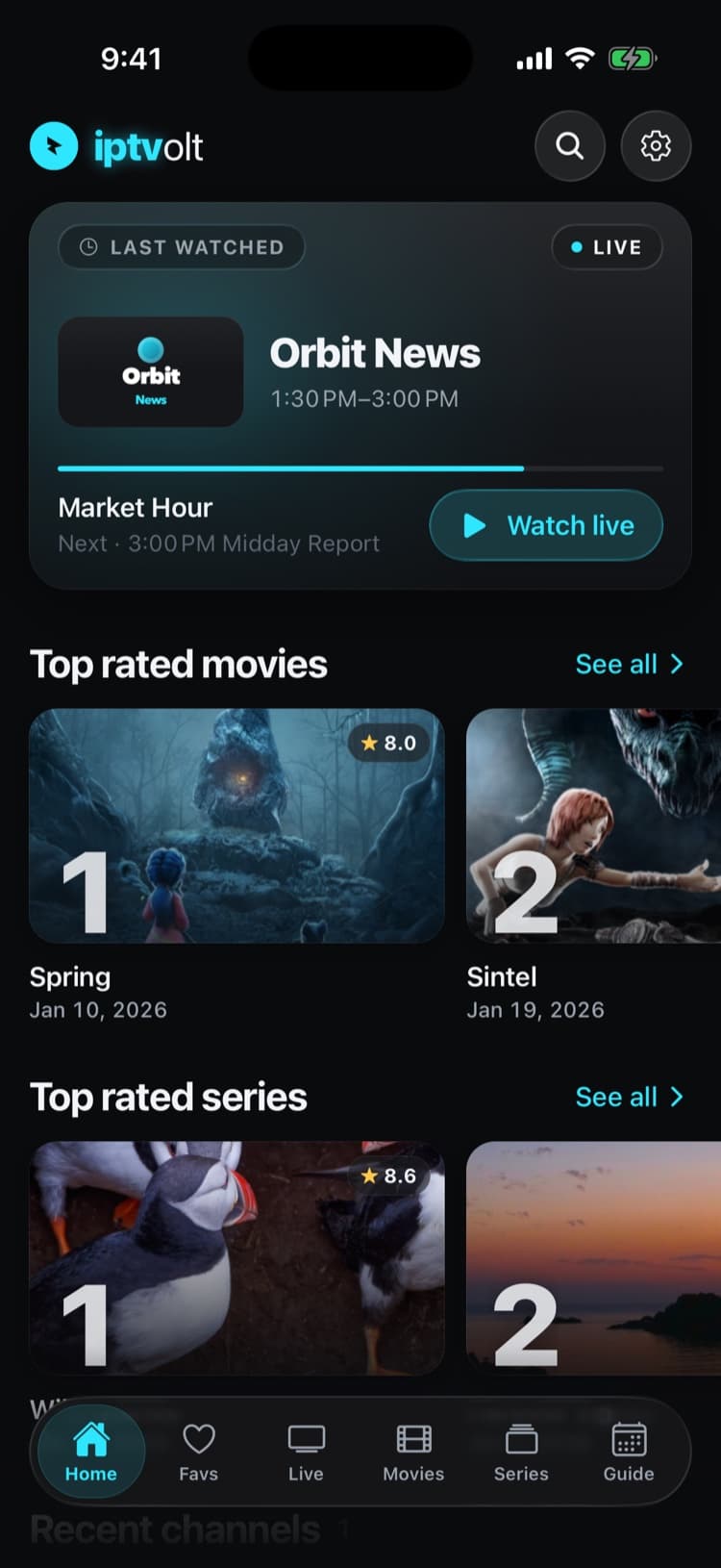
Real app screens with a demo source. iptvolt ships no content.
- AirPlay and Chromecast, free
- No ads, ever
- One purchase, up to 5 of your devices
- Synced on iPhone, iPad and Android
Made for iPhone. Ready for iPad.
- 01
Native first, so AirPlay just works
Every stream starts in the iOS player when it can. AirPlay then behaves like in any Apple app: seek, zap and read the programme bar while the TV plays.
- 02
Chromecast too
One tap sends the stream to Chromecast or Google TV. iptvolt checks first that the TV can play it, and tells you why when it can’t.
- 03
A VLC engine for the rest
MKV, AVI, raw TS and RTSP open in the built-in VLC engine. The switch happens on its own, and Try other player switches by hand.
- 04
Logins in the Keychain
Xtream passwords and passwords inside playlist links live in the iOS Keychain. Never in plain app storage, never on our servers.
- 05
Picture-in-Picture and iPad
Keep a channel in a corner with Pro. On iPad every screen turns with the device, and setup keeps a readable column.
Start on your phone. Finish on the TV.
Movies, series and live channels play in the native iOS player, so AirPlay works the way you expect. Chromecast is one tap away, and your phone stays the remote.
- AirPlay and Chromecast in the free version
- Zap, seek and go back to live from your phone
- A clear reason when a format can’t be cast
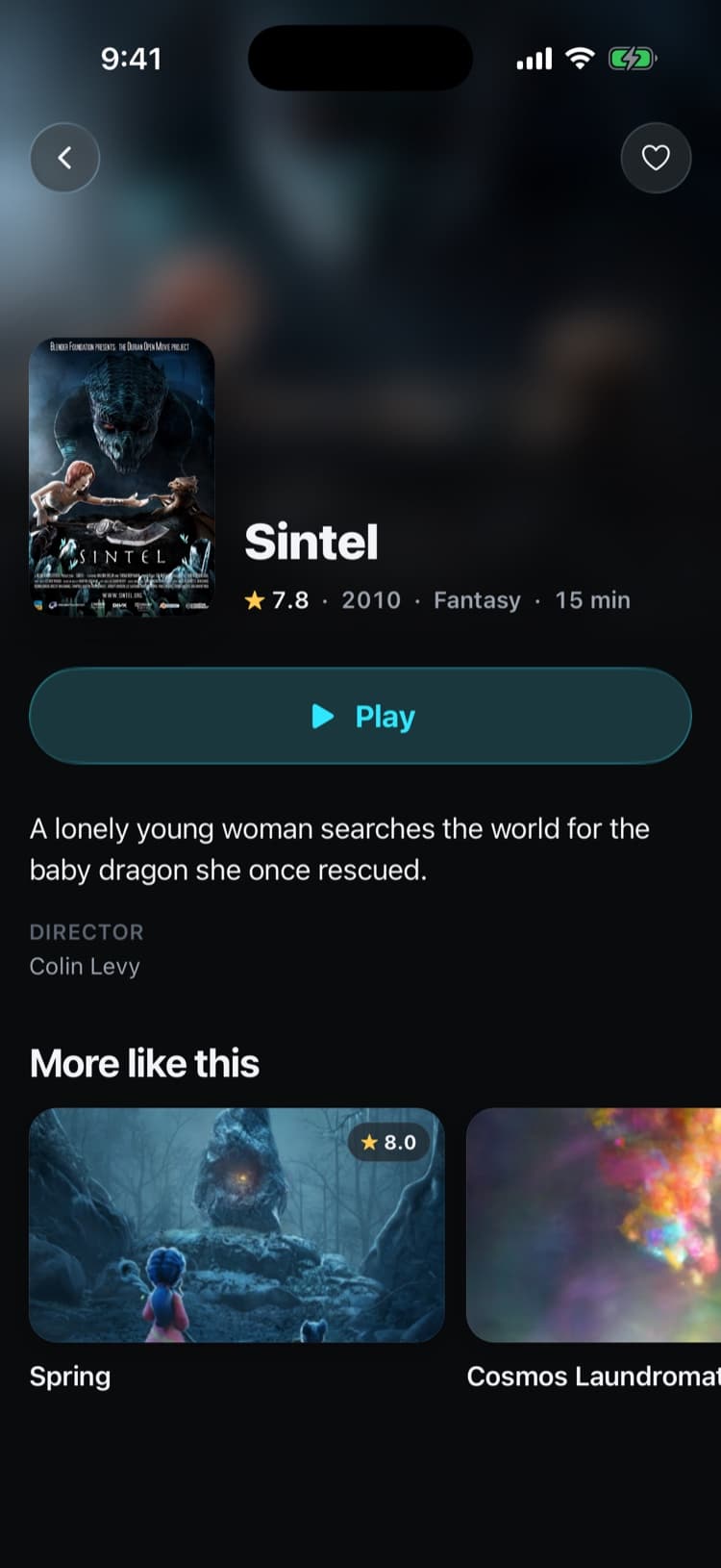
Set it up in iptvolt
- 01
Install iptvolt
iptvolt is coming to the App Store for iPhone and iPad. The free version needs no account and no email address.
- 02
Add your source
Choose Paste any link and paste your M3U, XSPF or Xtream link, or sign in with the server URL, username and password from your provider.
- 03
Watch and cast
Tap a channel to play it, swipe to zap, and use the AirPlay or Cast button in the player to move it to the TV.
Why iptvolt
Built to be the last player you install.
- Set up once, synced everywhereSources, logins, favourites, settings and continue watching. End-to-end encrypted, no account.
- One purchase, all your devicesPro covers up to 5 of your devices, iPhone, iPad and Android mixed.
- No ads, everThe free version is complete, and it stays free of ads.
- Sport finds its channelToday's games, matched to the channels in your own list.
- A guide you can trustUp to four guide links merged per source, and a real timeline grid.
- Plays everything, never stallsNative player plus a VLC engine, and it reconnects by itself.
Coming from another player?
What does iptvolt do on iPhone and iPad?
iptvolt is a media player for the IPTV source you already pay for. On iPhone and iPad it reads M3U, M3U8 and XSPF playlists and Xtream Codes logins, shows the guide your source provides, replays catch-up where your provider records, and plays on your TV with AirPlay or Chromecast. It brings no channels.
Everything is laid out for touch:
- Live with category chips, now and next on every row, favourites and search.
- Guide with now and next for free and the full timeline grid with Pro.
- Movies and Series from an Xtream login, with posters, seasons, episodes and Continue watching.
- Multi-view with two channels at once for free and four with Pro.
If you are not sure what your provider sent you, M3U vs Xtream Codes explains the two, and how to add Xtream Codes covers the login step by step.
Does AirPlay work with IPTV streams?
Yes, when the stream plays in the native iOS player, which is where iptvolt starts every stream it can. AirPlay then sends it to Apple TV or an AirPlay TV, and the controls on your phone keep working. Formats only the VLC engine can open, such as MKV or raw TS, can’t go over AirPlay.
In that case the AirPlay button tells you instead of failing quietly. If the native player can show the stream, it offers Switch to native player. If it can’t, it says AirPlay isn’t available for this stream, and Screen Mirroring from Control Center still works. Chromecast has its own checks, explained in how to cast IPTV to your TV.
Where does iptvolt keep my password on iPhone?
In the iOS Keychain. Your Xtream password and any password inside a playlist link are saved there, not in plain app storage. They never go to our servers in readable form, and the app fetches your playlist and streams directly from your provider. iptvolt needs no account and no email address.
If you turn on sync with Pro, your sources travel to your other devices inside an end-to-end encrypted envelope. The key comes from your sync code, which is never stored on our side. The parental PIN is never synced.
Does one Pro purchase cover iPhone, iPad and Android?
Yes. iptvolt Pro covers up to 5 of your devices that share a sync code, and they can be any mix of iPhone, iPad and Android. You buy once in either store, enter the same sync code on your other devices, and Pro follows along with your sources, favourites and settings.
| On iPhone and iPad | Free | Pro |
|---|---|---|
| AirPlay and Chromecast | Yes | Yes |
| Catch-up and Start over | Yes | Yes |
| Sources | One | Unlimited |
| Picture-in-Picture | No | Yes |
| Multi-view | 2 screens | 4 screens |
| Sync on up to 5 of your devices | No | Yes |
Pro costs €2.99 a month, €17.99 a year with a 7-day free trial, or €34.99 once. Neither version shows ads. See pricing for the details, or the Android page for the same app on Android phones and tablets.
A player only
iptvolt is a media player. It provides no channels, playlists or content and is not affiliated with any provider. You add a source you are allowed to use. Apps for TVs are planned; until then AirPlay and Chromecast bring the picture to the big screen.
Questions
Is iptvolt on the App Store?
iptvolt is coming to the App Store and Google Play. It is not publicly listed yet. When it is, the free version needs no account and shows no ads.
Does iptvolt come with channels?
No. iptvolt is a player only. It provides no channels, playlists or content and is not affiliated with any provider. You add an M3U, XSPF or Xtream source you are allowed to use.
Can I use AirPlay with iptvolt for free?
Yes. AirPlay and Chromecast are part of the free version. AirPlay works for streams in the native iOS player; formats that need the VLC engine, such as MKV, can’t be sent over AirPlay.
Does iptvolt support Picture-in-Picture on iPhone?
Yes, with iptvolt Pro. Picture-in-Picture keeps a channel playing in a small window while you use other apps.
Does Pro bought on iPhone also work on my Android tablet?
Yes. iptvolt Pro covers up to 5 of your devices that share a sync code, on iPhone, iPad and Android together.
Your last IPTV player.
iptvolt is coming to the App Store and Google Play.