An Xtream Codes player. One login, everything.
Sign in with the server, username and password you already have. Live TV, movies, series, the guide, catch-up and your account status arrive from that one login.
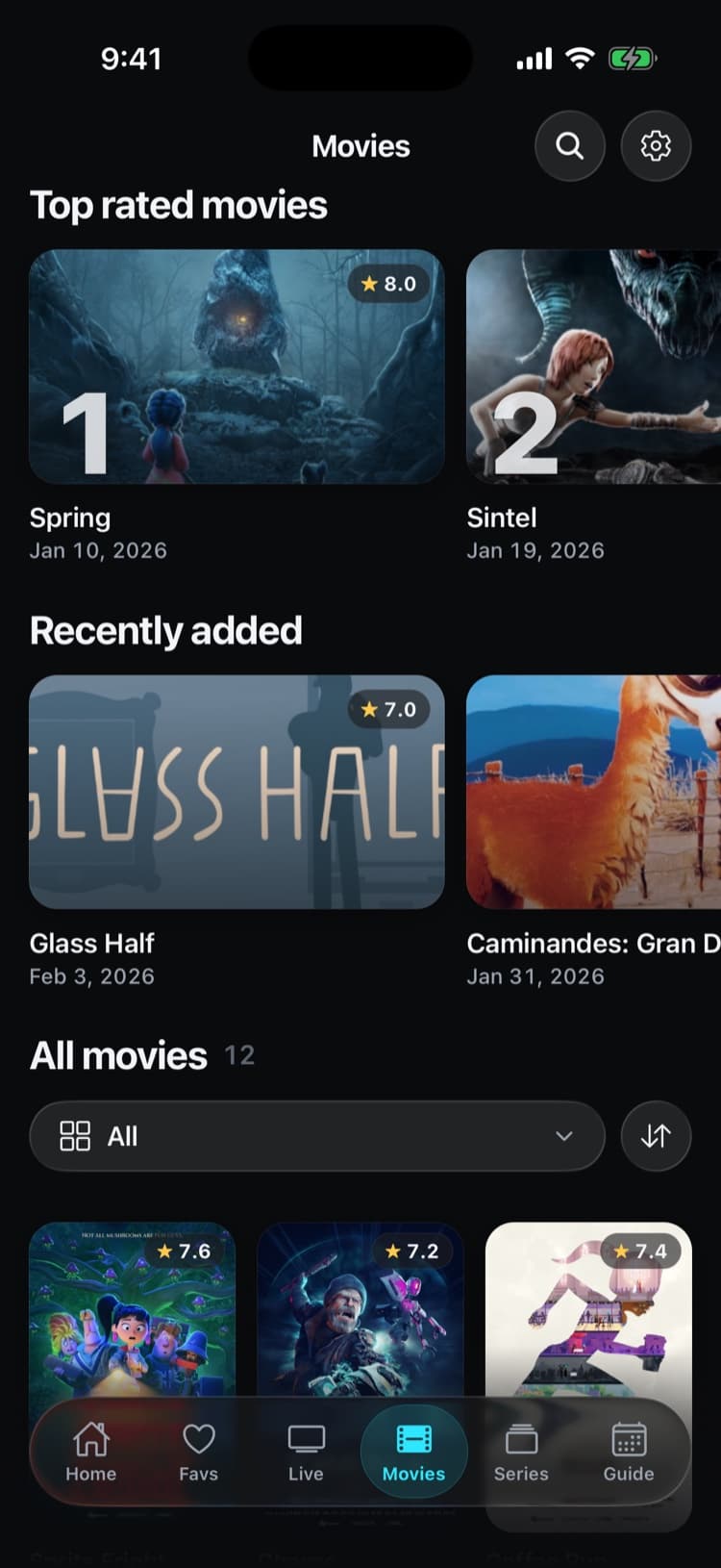
Real app screens with a demo source. iptvolt ships no content.
- Live, movies and series from one login
- No ads, ever
- One purchase, up to 5 of your devices
- Synced on iPhone, iPad and Android
One login. A whole library.
- 01
Live, movies and series
One login fills Live, Movies and Series with categories, posters, plots, seasons and episodes. Continue watching resumes where you stopped.
- 02
Account status at a glance
Sources shows the expiry date and the connections in use, and warns you when the expiry is close.
- 03
Honest connection limits
All connections in use? The player says so and tells you to stop playback on another device. No vague errors.
- 04
Catch-up from the archive
Start over and past programmes on channels your service records, replayed in the provider’s time zone. Free.
- 05
Password in the keychain
Your password stays in the device keychain, never in plain app storage. Streams go straight from your provider to you, not through our servers.
A library, not a list.
Movies and series arrive with posters, plots, seasons and episodes. Pick up any episode where you left it, on every device you sync.
- Seasons and episodes in order
- Continue watching, synced with Pro
- Guide included, no extra EPG link needed
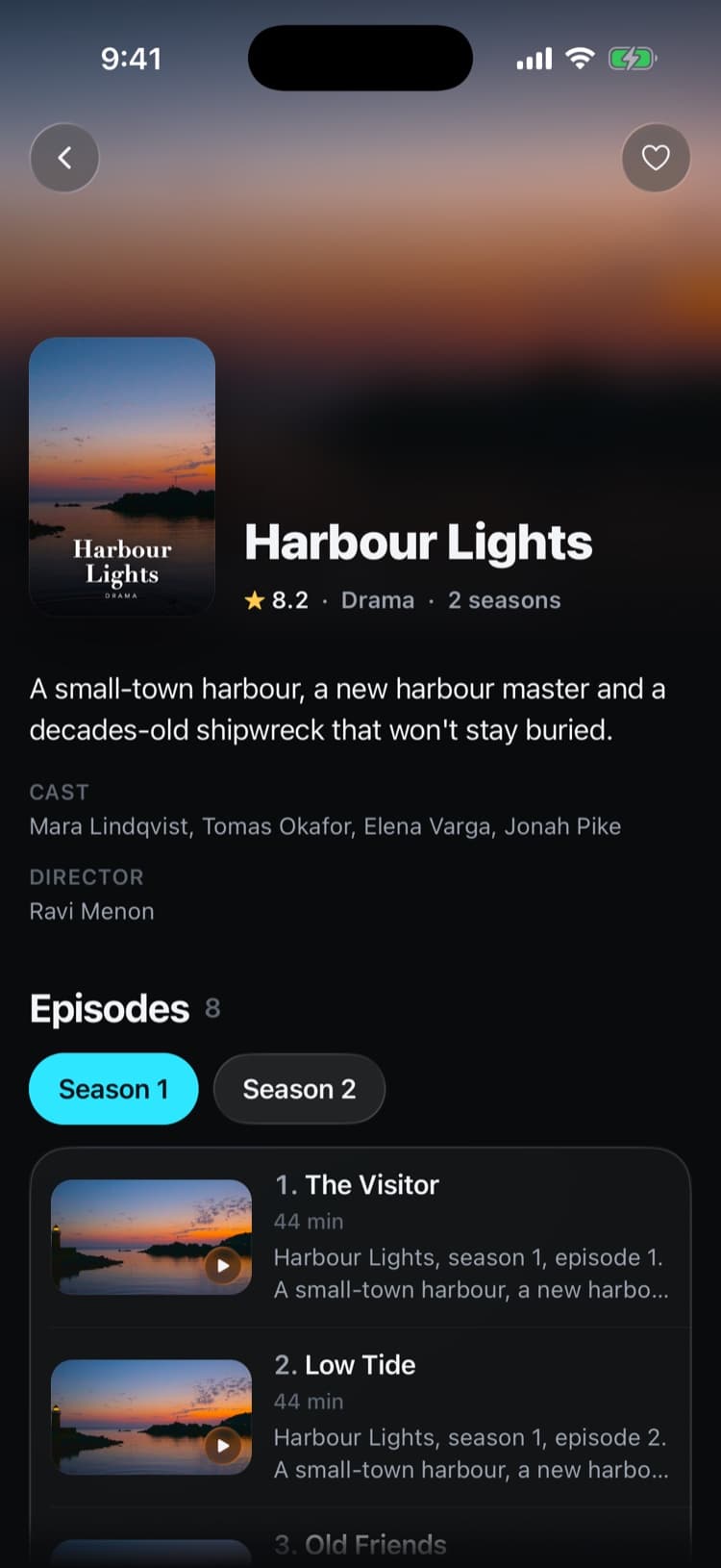
Set it up in iptvolt
- 01
Choose Xtream Codes login
Open Add source and pick Xtream Codes login, or paste the full link your provider sent with Paste any link.
- 02
Enter your details
Type the server URL, username and password exactly as your provider gave them. iptvolt checks the login and tells you if it was rejected or has expired.
- 03
Watch
Live channels, movies and series load with the guide. Tap to play, swipe to zap, or send it to the TV with AirPlay or Chromecast.
Why iptvolt
Built to be the last player you install.
- Set up once, synced everywhereSources, logins, favourites, settings and continue watching. End-to-end encrypted, no account.
- One purchase, all your devicesPro covers up to 5 of your devices, iPhone, iPad and Android mixed.
- No ads, everThe free version is complete, and it stays free of ads.
- Sport finds its channelToday's games, matched to the channels in your own list.
- A guide you can trustUp to four guide links merged per source, and a real timeline grid.
- Plays everything, never stallsNative player plus a VLC engine, and it reconnects by itself.
Coming from another player?
What do I need to sign in with Xtream Codes?
Three details from your provider: the server URL, your username and your password. They come in the welcome message or in the provider’s customer area. Copy them exactly: the server URL needs its http:// or https:// and any port, and usernames and passwords are case-sensitive. The three parts:
- Server URL, for example
https://example.com, sometimes with a port. - Username, shown in iptvolt as
your-username. - Password, shown as
your-password.
Some providers send one long playlist link with the username and password inside it instead. Paste that link with Paste any link: iptvolt recognises it and sets up the Xtream login for you, so you get movies, series and account status rather than a flat channel list. Stalker or MAG portal addresses are not supported.
If the login fails, check the details first. Copy the server URL exactly, including http:// or https:// and the port if there is one. Usernames and passwords are case-sensitive, and a space copied from an email is enough to break them. iptvolt tells you whether the server rejected the username or password, whether the account has expired, been disabled or banned, or whether the server could not be reached at all. An expired account has to be renewed with your provider; the app can’t change anything there.
Is Xtream Codes better than M3U?
Usually, when your provider offers both. An Xtream login lets the app ask the server for each part separately: live categories, movie and series libraries, the guide and the account. A large M3U file has to be downloaded and read in one piece, and very large ones can be too big for a phone.
The M3U vs Xtream Codes guide compares them in detail, and how to add Xtream Codes walks through the login.
| With an Xtream login | In iptvolt |
|---|---|
| Live TV | Categories, logos, now and next, favourites, search |
| Movies and series | Poster grids, seasons and episodes, resume |
| TV guide | Read from the server, no extra EPG link needed |
| Catch-up | Start over and the archive on channels the service records |
| Account | Expiry date and connections in use |
Why won’t an Xtream stream start?
Most often because all connections of your account are in use, the channel isn’t part of your plan, or the account has expired, been disabled or banned. iptvolt reads the server’s answer and tells you which one it is. For an archive programme that has left the catch-up window, it offers Watch live instead.
Protected (DRM) streams can’t be played, and the app says so.
If a format doesn’t play in the native player, Try other player switches to the built-in VLC engine. More help is on the support page.
A player, not a service
iptvolt is a media player. It provides no channels, playlists or content, sells no IPTV subscriptions and is not affiliated with any provider. You bring a login from a service you are allowed to use. The free version keeps one source. Pro adds unlimited sources, the full guide grid and sync on up to 5 of your devices.
Questions
Does iptvolt sell Xtream Codes subscriptions?
No. iptvolt is a player only. It provides no channels or content, sells no IPTV subscriptions and is not affiliated with any provider. You sign in with a login from a service you are allowed to use.
What do I enter to add an Xtream Codes login?
The server URL, your username and your password, exactly as your provider gave them. If you only have a playlist link with the username and password in it, paste that link and iptvolt sets up the login.
Can iptvolt show when my Xtream account expires?
Yes. The Sources screen shows the expiry date your provider’s server reports and how many of your account’s connections are in use, and it warns you when the expiry is close.
Why does iptvolt say all connections are in use?
Your provider limits how many streams can play at once on one account. When the limit is reached, the server refuses new streams. Stop playback on another device, then retry.
Where is my Xtream password stored?
In the device keychain, never in plain app storage. It only leaves the device inside the end-to-end encrypted sync, if you turn sync on, and is never sent to iptvolt in readable form.
Your last IPTV player.
iptvolt is coming to the App Store and Google Play.