Set it up once. Never again.
Your channels come from your provider, so they work in any player. What changes is everything around them: one setup that follows you to every device, a guide you can trust, and no ads.
You never lose your channels.
Switching IPTV players on iPhone or Android? Channels, the guide, movies and series live with your provider, not in your player. Paste the same link or login into iptvolt and they're all there. The only thing you leave behind is a player you had to set up again on every device.
iptvolt vs. the players you know.
One player ticks every box: iPhone and Android, no ads, one purchase for all your devices, the same setup synced everywhere, sport and two engines. Facts about the others are taken from their official store pages.
- No ads: IPTV Smarters (iOS), UHF and Televizo are labelled “Contains ads” on their store pages; GSE's free Android version contains ads.
- One purchase: IBO Player licenses per device; GSE is bought separately per platform; IPTVX states that Apple and Google subscriptions are separate.
- TiviMate's Google Play listing says it is “not optimized for touch devices such as phones or tablets”. UHF has no Android app, TiviMate and Televizo no iPhone app.
- Sources: each player’s official App Store, Google Play or website listing (linked in the header), US storefront, checked on 2 November 2026. All product names are trademarks of their respective owners. iptvolt is not affiliated with or endorsed by any of them. Facts about other players were checked on their official store pages on the date shown.
Why people switch to iptvolt
Set up once, on every device
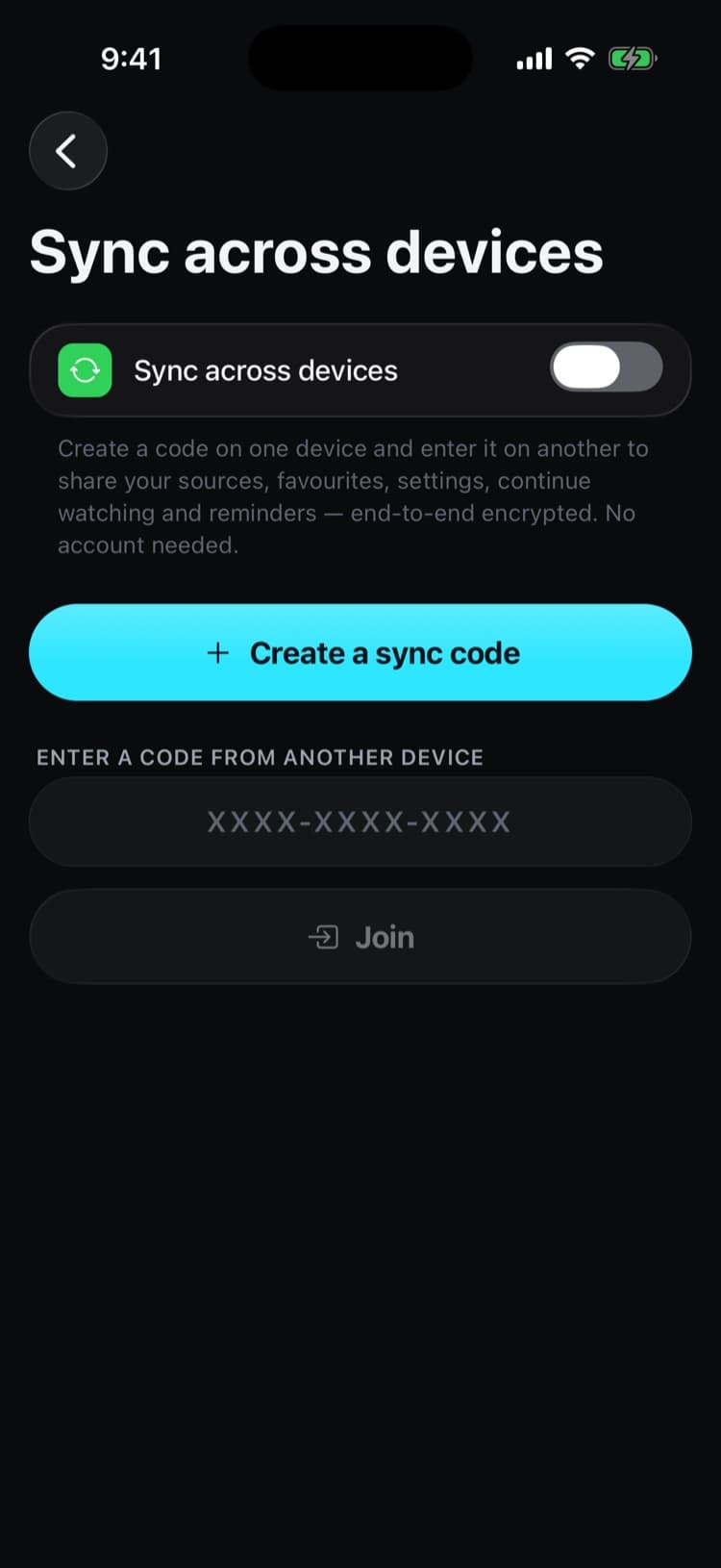
Create a sync code on one device and enter it on the next. Your sources and logins, favourites, folders, hidden channels, settings, continue watching and reminders are simply there. End-to-end encrypted.
One Pro for iPhone and Android
One purchase covers up to 5 of your devices that share your sync code, across iPhone, iPad and Android. No second licence per device, no second purchase per platform.
A guide you can trust
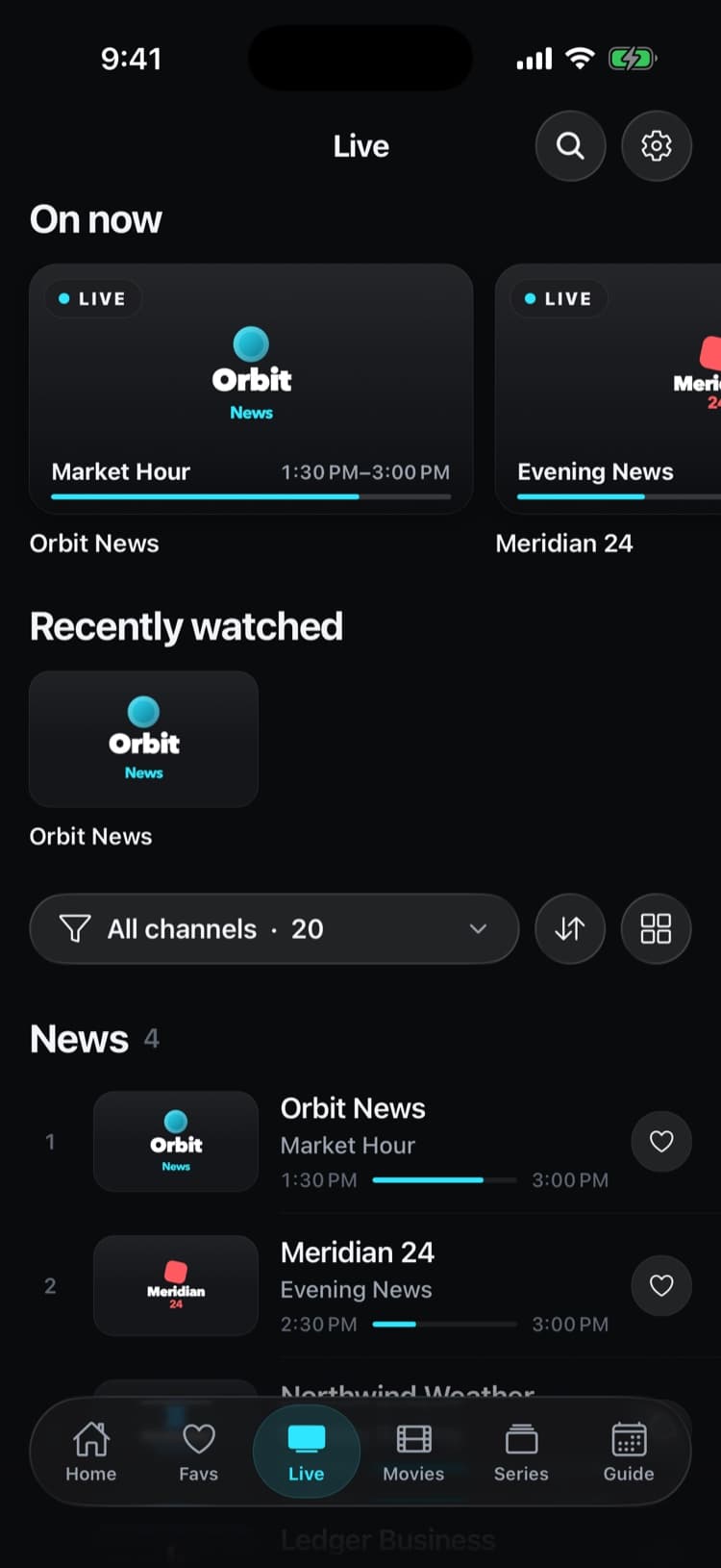
Up to four guide links merged per source, now and next on every channel and a real timeline grid you can scroll through the day.
Sport finds its channel
Today's games with the channel in your own list that shows them. No scrolling through hundreds of channels at kick-off.
Plays what others won't
The native player first and a built-in VLC engine for MKV, AVI and raw TS. It switches on its own and reconnects when a stream drops.
No ads. No account.
Not in the free version, not in Pro. Nothing to sign up for, and your logins stay in your device's secure storage.
Switch in three steps
- 1
Find your link or login
Look in your provider's welcome email or account page, or in the source settings of the player you use now. You need an M3U link, or a server address with user name and password (Xtream Codes).
- 2
Paste it into iptvolt
Choose Paste any link. iptvolt recognises M3U, XSPF and Xtream links on its own; a pasted Xtream playlist link fills in the login for you.
- 3
Create your sync code
With Pro, create a sync code and enter it on your other devices. From now on, every device has the same setup.
What comes with you
- Channels, categories and logosYes, from your link or login
- TV guide (EPG)Yes, from your provider, plus any extra EPG links you add
- Movies and seriesYes, with an Xtream login
- Catch-upYes, where your provider records
- FavouritesStar them once in iptvolt; with a sync code they follow you to every device
Good to know
- Many providers limit how many streams can play at once. Stop the stream in your old player while you test iptvolt, or you may see a connection limit message.
- Your login is stored in your device's secure storage, never in plain text and never on our servers.
Questions
Will I lose my channels if I switch players?
No. Your channels, guide, movies and series come from your provider's link or login, not from the player. Use the same link or login in iptvolt and everything is there.
Do I have to set iptvolt up on every device?
No. With Pro you create a sync code once and enter it on your other devices. Sources and logins, favourites, folders, settings and continue watching follow automatically, end-to-end encrypted.
Can I import my favourites from another player?
Not directly; every player stores favourites in its own format. Star them once in iptvolt, and with a sync code they are on all your devices from then on.
Do I have to cancel my IPTV subscription?
No. iptvolt is only the player. You keep your provider and use the same link or login.
Does one purchase cover my iPhone and my Android tablet?
Yes. Pro covers up to 5 of your own devices that share your sync code, on iPhone, iPad and Android.
Is there an app for my TV?
Apps for Android TV and Fire TV, Samsung and LG TVs are planned. Until then, cast to your TV with AirPlay or Chromecast.
Your last player setup.
iptvolt is coming to the App Store and Google Play.