An M3U player that turns a link into real TV.
Paste the M3U, M3U8 or XSPF link you already have. Channels land in their groups with logos, now and next and catch-up, on iPhone, iPad and Android.
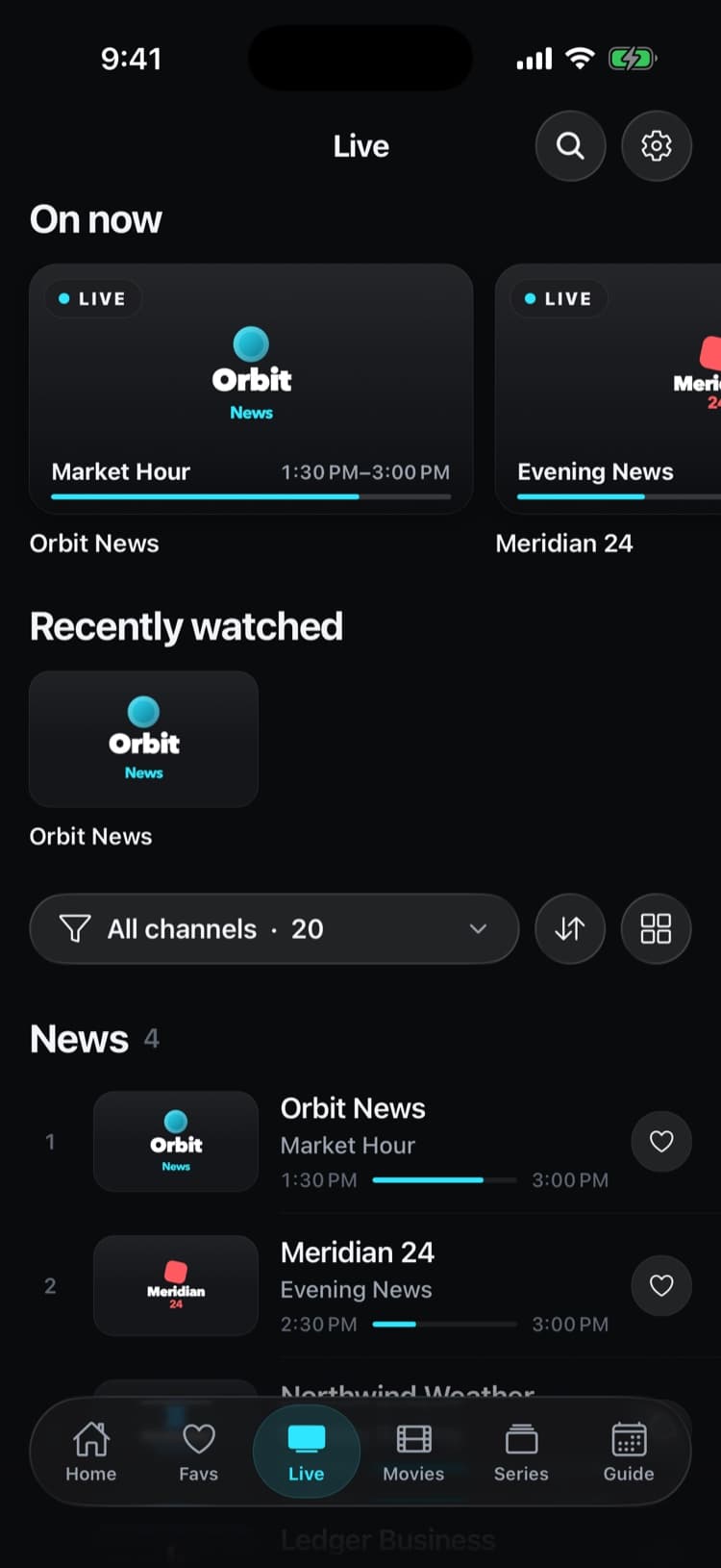
Real app screens with a demo source. iptvolt ships no content.
- M3U, M3U8 and XSPF
- No ads, ever
- One purchase, up to 5 of your devices
- Synced on iPhone, iPad and Android
Everything your playlist knows, on screen.
- 01
Paste a link. That’s it.
iptvolt detects M3U, M3U8 and XSPF on its own. Plain URL lists work too, and relative stream links resolve against the playlist address.
- 02
Groups become categories
group-title and #EXTGRP turn into category chips. tvg-logo adds every logo, and tvg-id links the channel to the guide.
- 03
The guide finds itself
A url-tvg or x-tvg-url line in the playlist header is read on its own. Add your own XMLTV link on top, plain or gzip.
- 04
Catch-up, free
Channels with catchup, catchup-source and catchup-days get Start over and an archive of past programmes.
- 05
Headers and two engines
User-Agent, Referer and Origin from #EXTVLCOPT, #EXTHTTP or a |User-Agent= suffix go with the stream. MKV and raw TS play in the VLC engine.
Your channels, in your order.
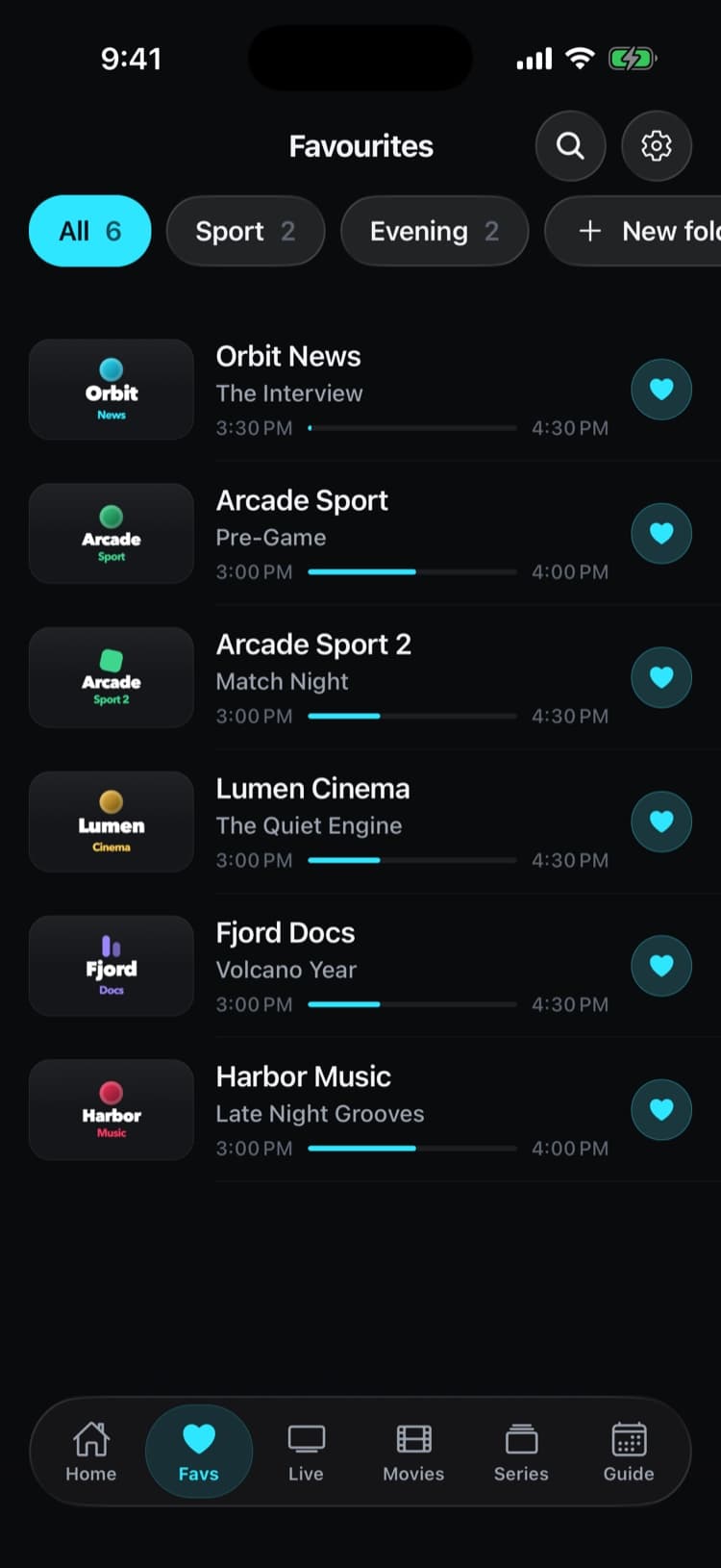
Star what you watch and sort it into your own folders. Stable ids keep your favourites in place when the provider reorders its playlist.
- Favourites in folders you name
- Groups from the playlist as category chips
- Synced to your other devices with Pro
Set it up in iptvolt
- 01
Paste your playlist link
Choose Paste any link, or M3U / XSPF URL, and paste the link from your provider. A name helps when you add more sources later.
- 02
Add an EPG link if you have one
The EPG URL field is optional. If your playlist already names a guide in its header, iptvolt finds it on its own.
- 03
Watch
Channels load into their groups. Tap one to play, star your favourites, and cast to the TV with AirPlay or Chromecast.
Why iptvolt
Built to be the last player you install.
- Set up once, synced everywhereSources, logins, favourites, settings and continue watching. End-to-end encrypted, no account.
- One purchase, all your devicesPro covers up to 5 of your devices, iPhone, iPad and Android mixed.
- No ads, everThe free version is complete, and it stays free of ads.
- Sport finds its channelToday's games, matched to the channels in your own list.
- A guide you can trustUp to four guide links merged per source, and a real timeline grid.
- Plays everything, never stallsNative player plus a VLC engine, and it reconnects by itself.
Coming from another player?
What does iptvolt read from an M3U playlist?
The channel name, logo, group, guide id and catch-up details. An M3U file is a text list of streams: each channel has an #EXTINF line with its name and attributes, followed by the stream URL. iptvolt reads the attributes that matter for watching:
- tvg-id links the channel to its programmes in the XMLTV guide.
- tvg-logo (or
logo) is the channel logo. - group-title or an
#EXTGRPline is the category. - url-tvg, x-tvg-url or tvg-url in the
#EXTM3Uheader point to one or more guide links. - catchup, catchup-source and catchup-days describe the archive, per channel or once in the header.
The parser is tolerant on purpose. A byte order mark, Windows line endings, comment lines and stray URLs don’t break the import. If a playlist mixes live channels with movie and series entries, iptvolt sorts those into Movies and Series instead of listing them as channels.
Which playlist formats and links work?
M3U, M3U8 and XSPF playlist links, playlist links that carry an Xtream username and password, and single stream URLs. Paste any of them with Paste any link and iptvolt works out the type. Stalker and MAG portal addresses are the one kind it can’t use. In detail:
| You have | What to do in iptvolt |
|---|---|
| An .m3u or .m3u8 playlist link | Paste it as an M3U / XSPF URL or with Paste any link. |
| An .xspf playlist link | Paste it the same way. iptvolt reads each track’s location and album as group. |
| A playlist link with your username and password in it | Paste it with Paste any link. iptvolt recognises it as an Xtream login and adds Movies, Series and account status. |
| A single stream URL | Paste it with Paste any link. It becomes a one-channel source. |
| A Stalker or MAG portal address | Not supported. Ask your provider for an M3U link or an Xtream login. |
Not sure which of the two your provider gives you? M3U vs Xtream Codes explains the difference, and how to add an M3U playlist walks through the setup and the common errors.
Playing the streams
Most IPTV streams are HLS (.m3u8) or MPEG-TS. iptvolt plays them in the native player of your phone, which is also what AirPlay uses. Formats the native player can’t open, such as MKV, AVI, raw TS or RTSP, play in the built-in VLC engine. If a channel won’t start, Try other player switches between the two.
Some providers only accept a stream when the request carries a certain User-Agent or Referer. If your playlist sets those with #EXTVLCOPT, #EXTHTTP, #KODIPROP or a |User-Agent= suffix, iptvolt sends them. Channels marked as DRM-protected are shown as protected streams, because the app can’t play them. In the player, swipe to zap to the next channel without going back to the list.
Your playlist stays yours
iptvolt is a player only. It ships no channels, playlists or content, and it is not affiliated with any provider. The app fetches your playlist and streams directly from your provider. Nothing is routed through our servers. A password inside a playlist link is kept in the device keychain, not in plain app storage.
The free version keeps one source with live TV, the now and next guide, catch-up, AirPlay, Chromecast and two-screen multi-view, without ads. Pro adds unlimited sources, the full guide timeline grid and sync on up to 5 of your devices. See Free and Pro for the full list.
Questions
Does iptvolt come with an M3U playlist?
No. iptvolt is a player only. It ships no channels, playlists or content and is not affiliated with any provider. You add the M3U link from a service you are allowed to use.
Can iptvolt play M3U8 and XSPF playlists?
Yes. iptvolt reads M3U and M3U8 playlists and XSPF playlists. Paste the link and the app detects the format. It also accepts a single stream URL as a one-channel source.
Where do I add the EPG link for an M3U playlist?
In the EPG URL field when you add the playlist. It is optional: if the playlist header names a guide with url-tvg or x-tvg-url, iptvolt reads that guide on its own.
Why do some channels have no logo or guide?
Logos come from the tvg-logo attribute and guide data from the EPG link. A channel without tvg-logo has no logo. A channel without a matching tvg-id or name in the guide shows no programmes.
Can I add more than one playlist?
The free version holds one source. iptvolt Pro adds unlimited sources, so you can keep several playlists and Xtream logins side by side and switch between them.
Your last IPTV player.
iptvolt is coming to the App Store and Google Play.